PM Master Comparator
Cost-effective Microsoft Project schedule analysis and comparison — quick, accurate, and delivered in the tool your PMO already lives in: Excel.
Beta · Windows · requires Microsoft Excel and Microsoft Project
Analyses are built on long-standing criteria and best practices commonly accepted by the Defense Contract Management Agency (including the DCMA 14-Point Assessment), the Government Accountability Office, the Department of Defense, and the Department of the Navy.
What it does
PM Master Comparator is a Microsoft Excel-based tool that uses proprietary algorithms to comprehensively analyze a Microsoft Project schedule — and compare differences between the current version and an earlier version of the same project. More than 80 criteria are evaluated, with results displayed in Excel and one-click drill-downs that open the exact tasks behind each finding in native MS Project views.
Product tour
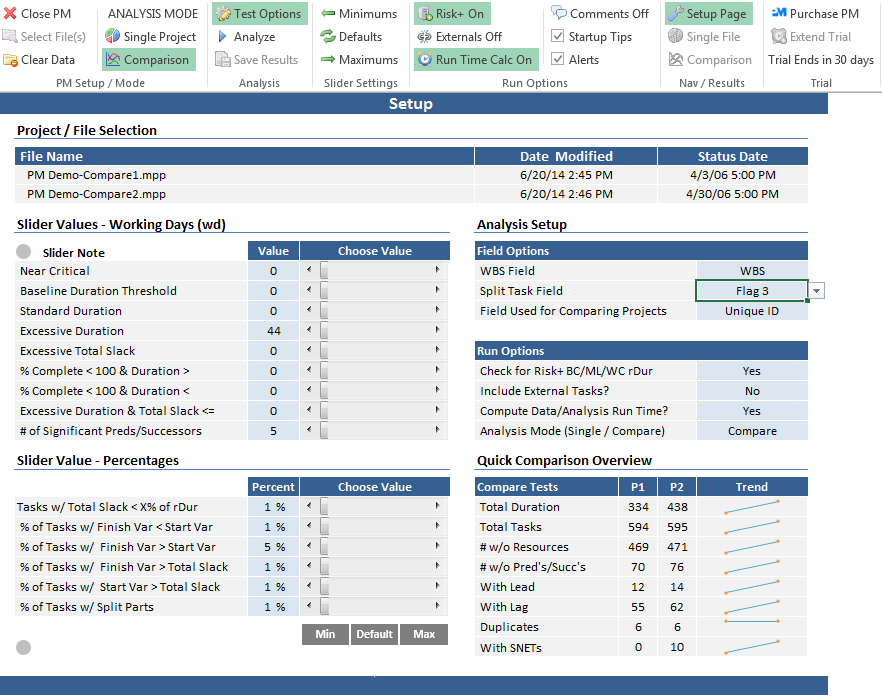
Setup page
Simple pull-downs, buttons, and sliders drive the analysis: select your project file(s), choose the criteria to evaluate, tune slider ranges, and run. No macros to write, no configuration files — everything is point and click.
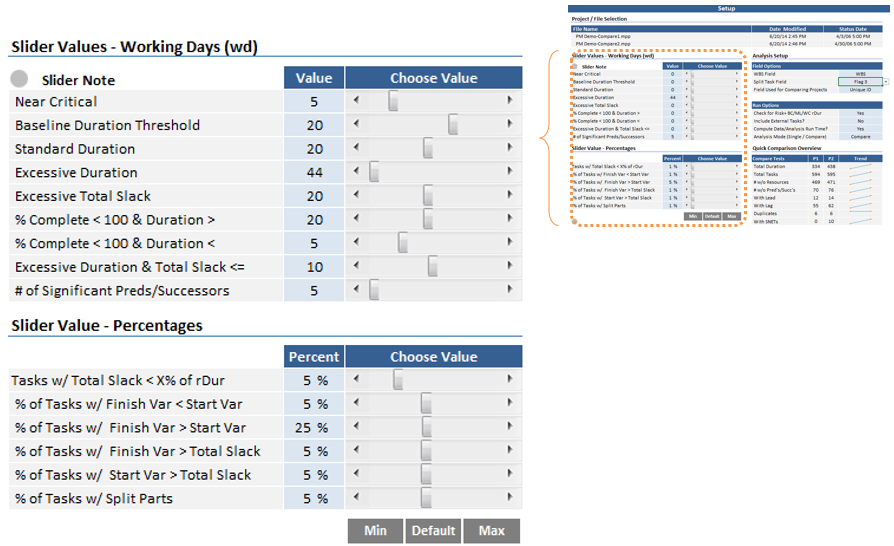
Tunable thresholds
Every threshold-based test is adjustable with a slider — for example "Total Slack < x% of Remaining Duration" defaults to 5% but tunes to your organization's tolerance. One click restores defaults, so experimentation is always safe.
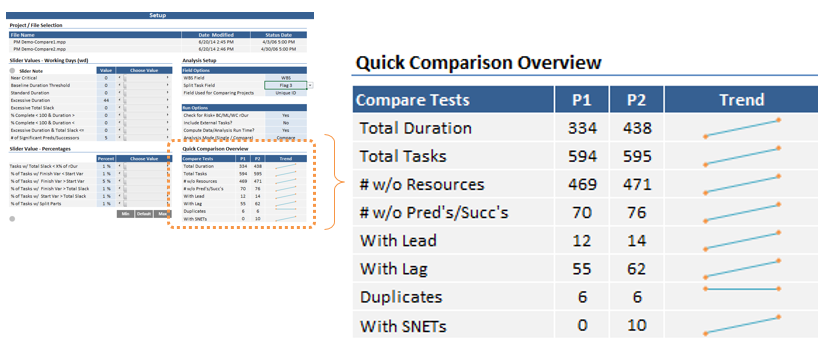
Quick-overview dashboard
A mini-dashboard computes instantly on data load: baseline verification, task counts, and a DCMA-style check assessment — letting a program manager see overall schedule health in a matter of seconds, before running a single detailed test.
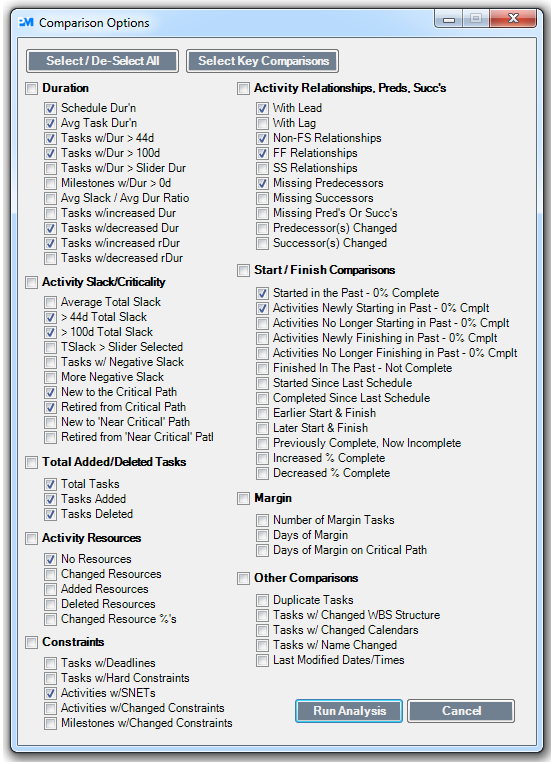
Pick exactly what to test
Checkboxes control which criteria are calculated and displayed on the Diagnostics page — run everything, or just the checks that matter to you. A typical full analysis completes in under four seconds.
Version-to-version comparison
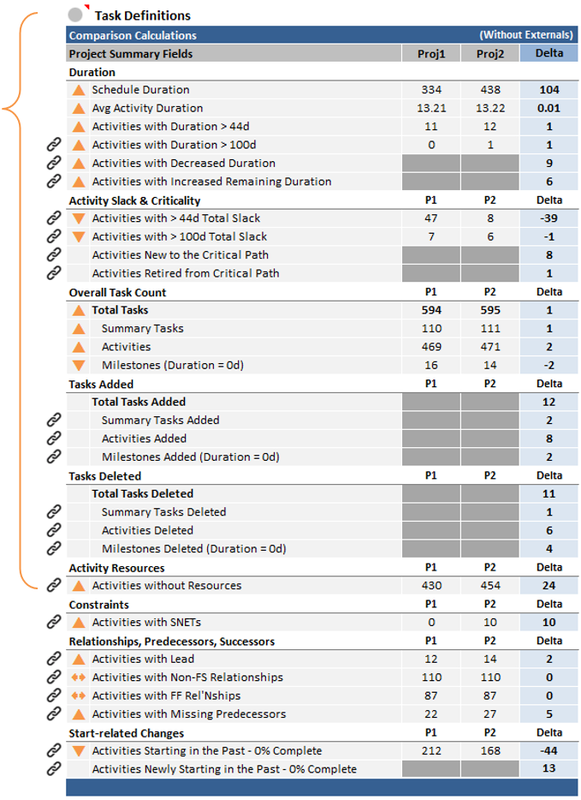
Load two versions of the same schedule and the comparison engine reports what changed: added, deleted, and slipped tasks; duration, logic, constraint, and resource changes — each with its own result row and drill-down.
One-click MS Project views
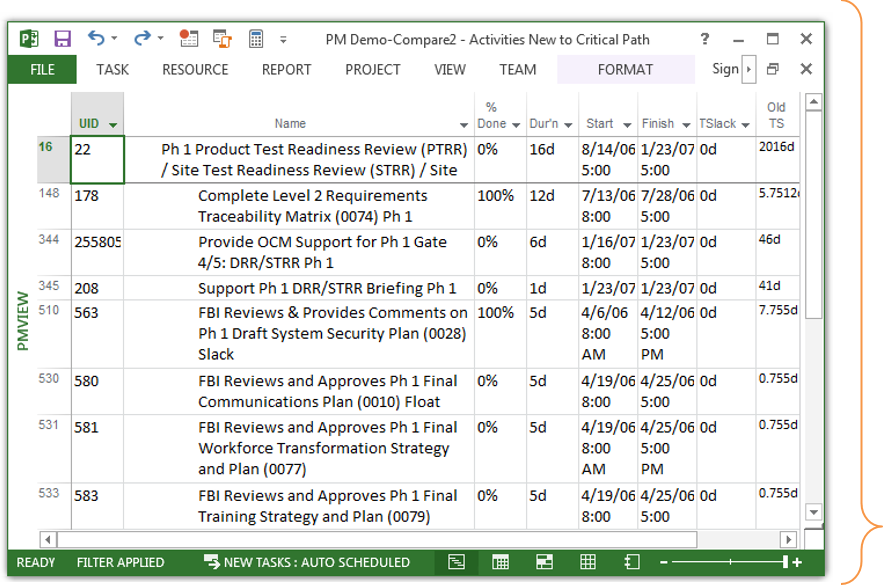
Every finding carries a link symbol. Click it and PM Master Comparator opens a custom, filtered view of those exact tasks in native Microsoft Project — for example, "Activities New to the Critical Path" — sorted, highlighted, and ready to work.
Built for every level of scheduler
Expert schedulers
Comprehensive quality checks that catch what manual reviews miss — in seconds instead of hours.
Program managers
Assess the quality of a schedule at a glance, without living inside Microsoft Project.
Beginners & academics
Optional embedded comments explain every analyzed criterion — the tool teaches schedule quality while it checks it.
How the trial works
Install in minutes, use every feature free for 30 days. When you're ready, a license key activates the product permanently on your machine. Questions? support@dcanalytics.org.